


One platform forPayroll

eziifacilitiesOffice operations, under control

Run the entire office floor from one place.

Visitors, workstations, file tracking, dak, meeting rooms, helpdesk and day-to-day ops — connected, trackable and easy for your admin team.

Get started
  • Visitor & desk ops
  • QR where it matters
  • Exportable reports
13Office modules, one workspace
QRFiles, boxes and desks
OneLogin and data trail
15 minTailored walkthrough

Trusted by fast-growing businesses across India

client-2 - EZII client
client-3 - EZII client
client-4 - EZII client
client-5 - EZII client
client-6 - EZII client
client-7 - EZII client
client-8 - EZII client
client-9 - EZII client
client-10 - EZII client
client-11 - EZII client
client-12 - EZII client
client-13 - EZII client
client-14 - EZII client
Why ezii Admin & Facilities

From lobby check-in to board report

One trail — no broken handoffs between paper registers, chats and spreadsheets.

01

Lobby & visitors

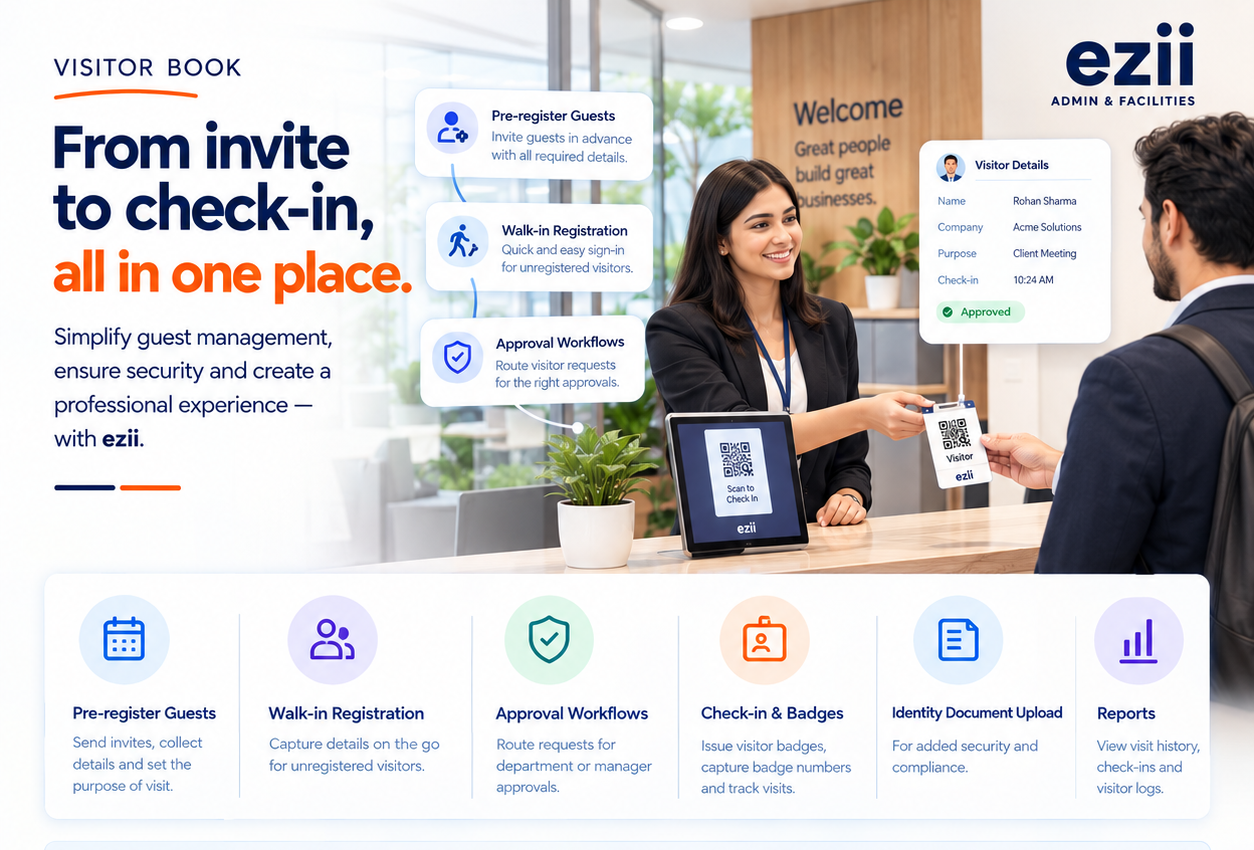
  • Invite, pre-register and approve visitors
  • QR and kiosk-friendly check-in with badges
  • ID capture and a clean visitor trail
02

Rooms & desks

  • Book meeting rooms without clashes
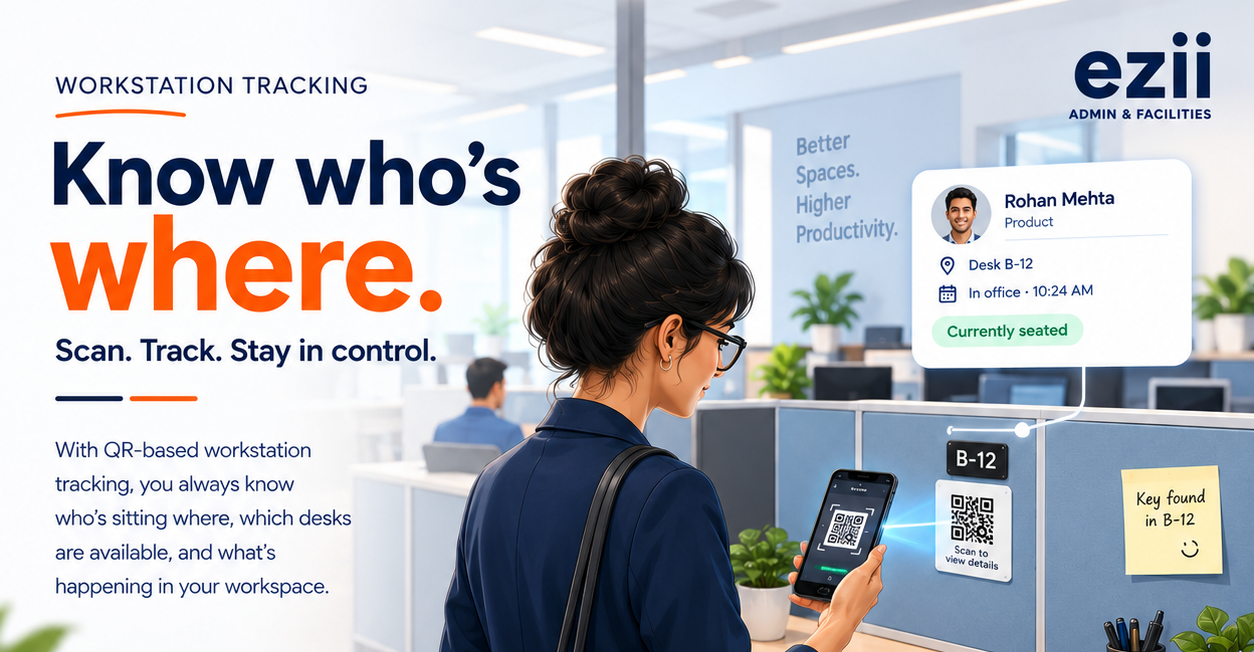
  • Assign desks and cubicles with QR labels
  • Live who-sits-where view with history
03

Mailroom & dak

  • Packages tracked from arrival to sign-off
  • Inward and outward dak with status
  • Clear owner on every delivery
04

Archive & DSC custody

  • QR-tracked files, folders and boxes
  • Checkout and return history for every file
  • DSC custody and usage logs
05

Ops desk

  • Facility helpdesk with tracked tickets
  • Travel desk and outing requests
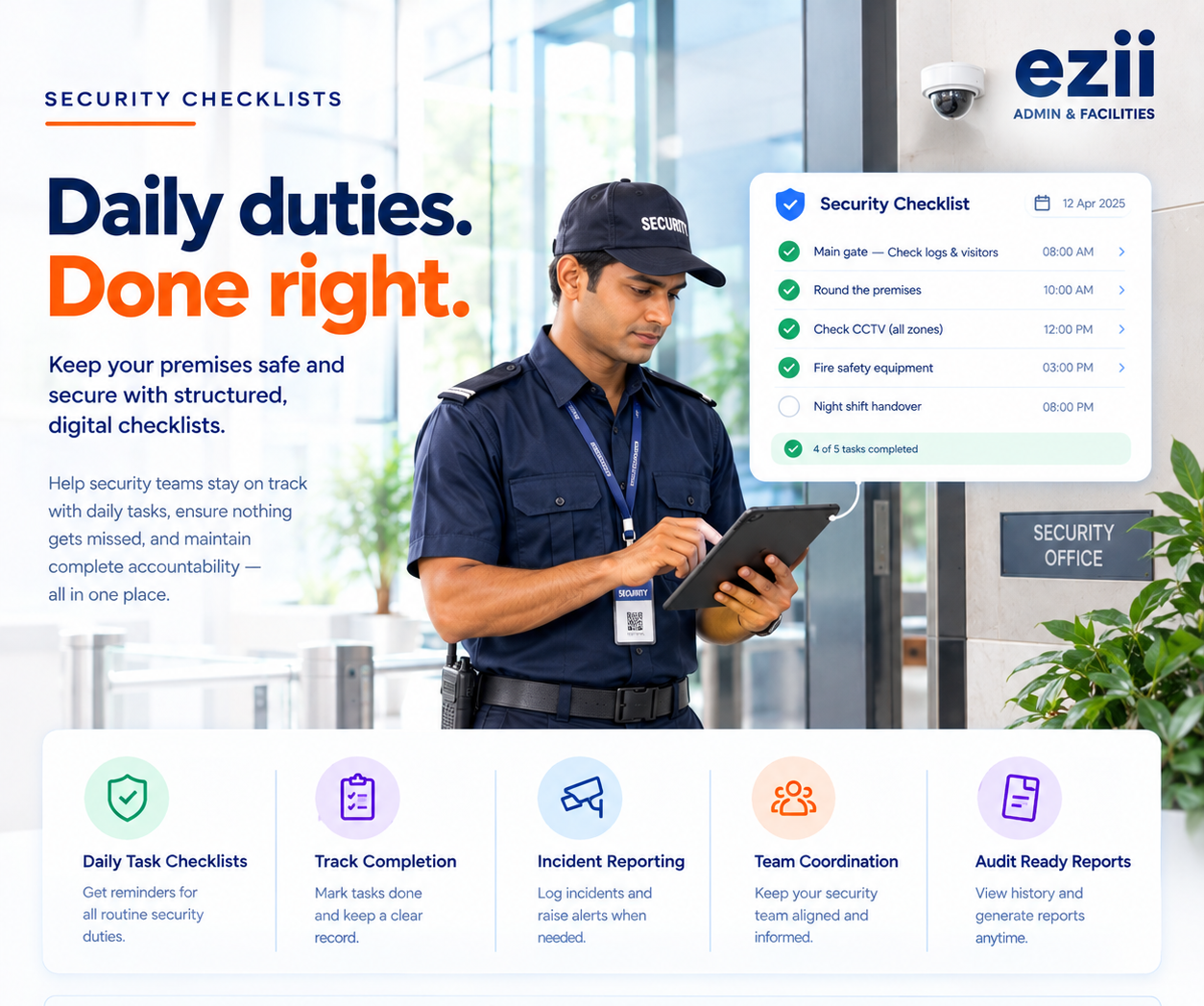
  • Security and compliance checklists
06

Inventory & reporting

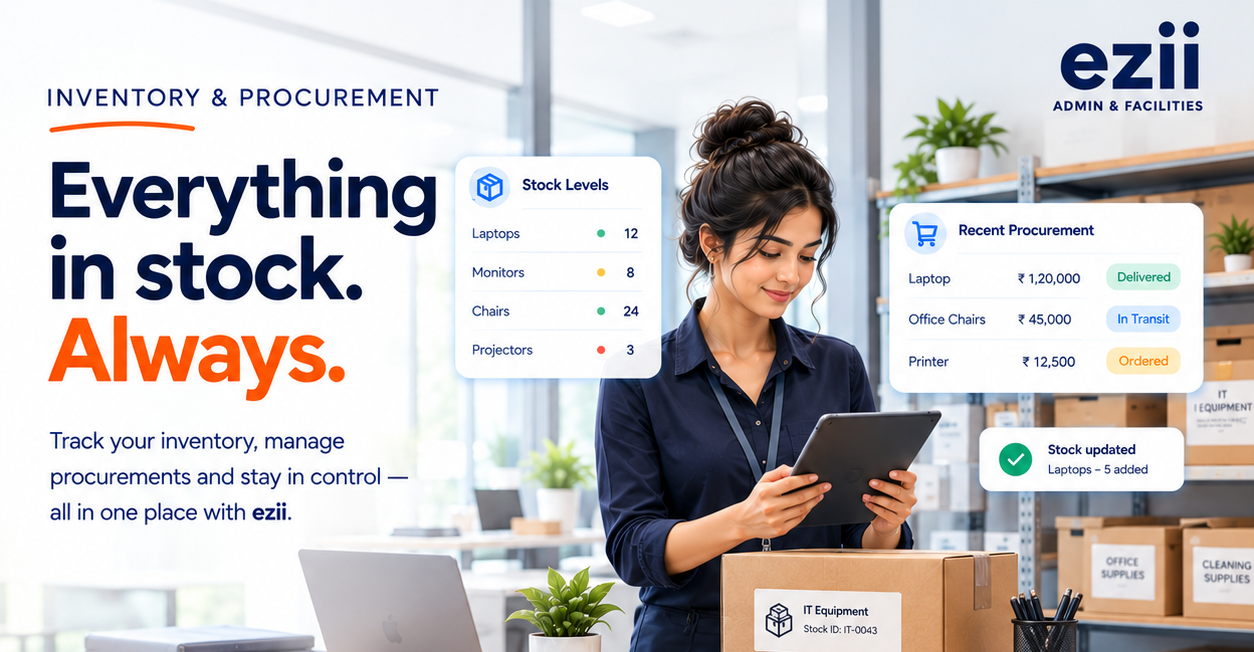
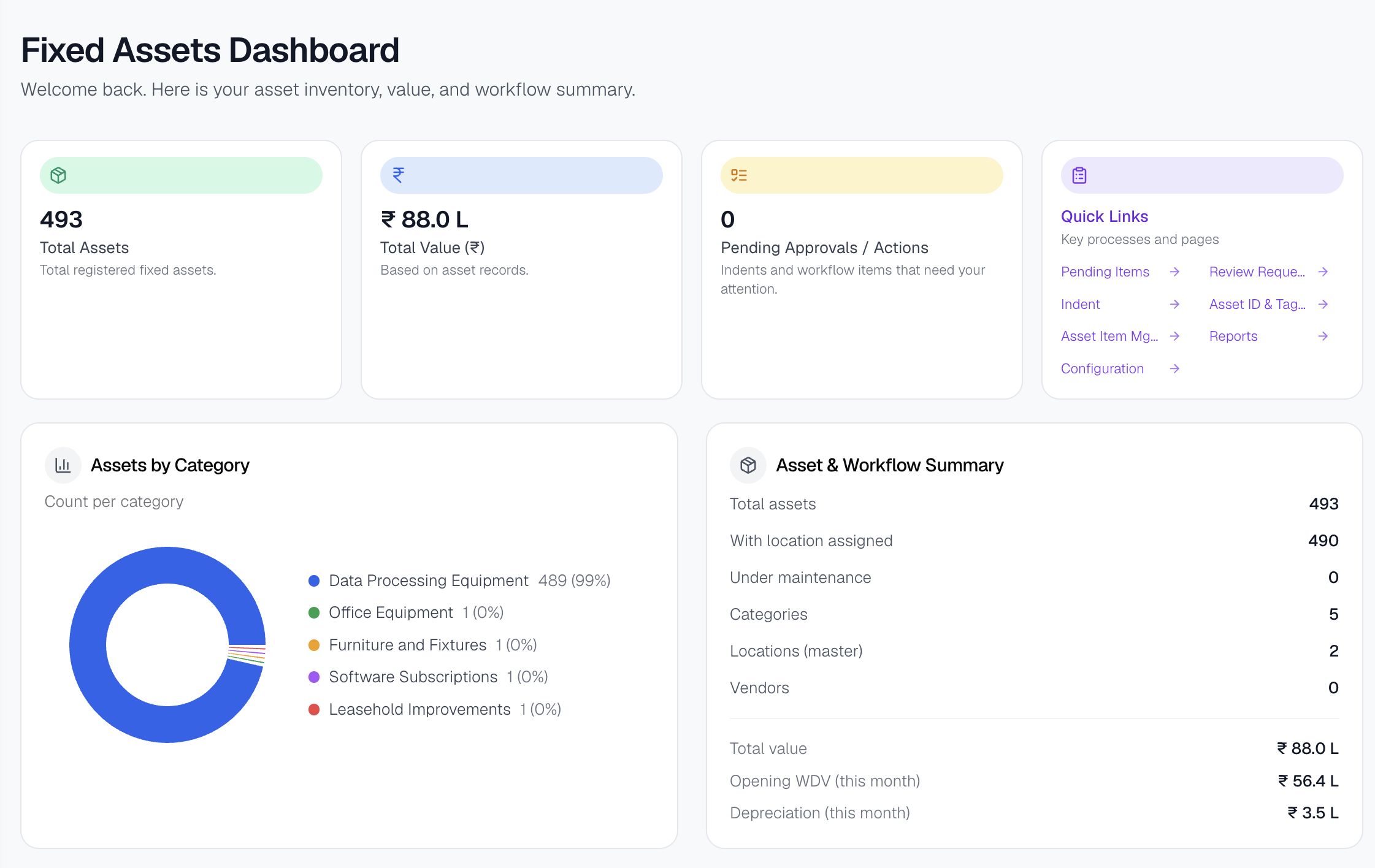
  • Pantry and stationery stock with purchase requests
  • Role-based access for each team
  • Live dashboards and exportable reports
See it in action

From the lobby to stock rooms — see it clearly

File tracking, visitors, workstations, security rounds and inventory — each module built for how offices actually run.
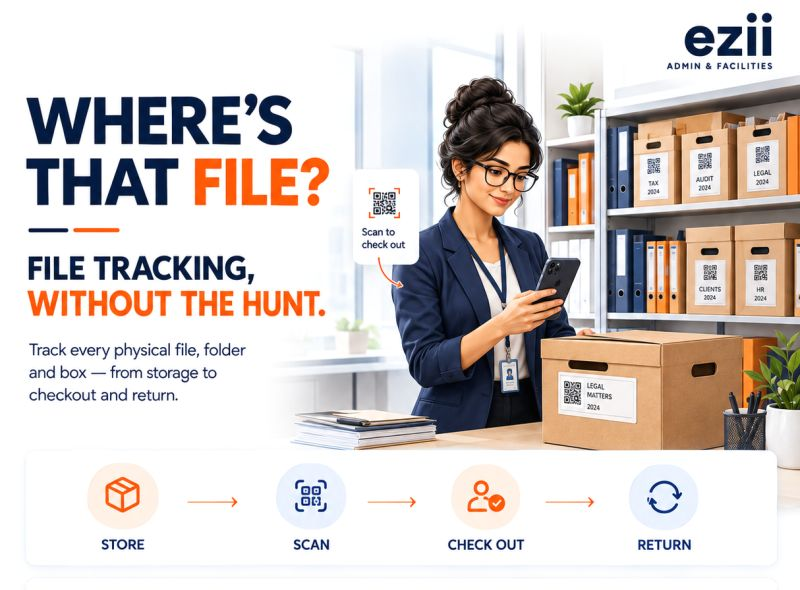
File tracking in ezii Admin & Facilities
Visitor book in ezii Admin & Facilities
QR workstation tracking in ezii Admin & Facilities
Security checklists in ezii Admin & Facilities
Inventory and procurement in ezii Admin & Facilities
Platform modules

One platform. Every office module you need.

Every module connects to one Admin & Facilities workspace — same login, same data, same trail.

Visitor Book
Meeting Rooms
Packages & Dak
File Tracking
DSC Tracking
Workstations
Inventory & Procurement
Compliance Checklists
Travel Desk
Helpdesk
Notices & Announcements
Access Control
Connected suite

Admin & Facilities works better with the rest of EZII

One employee record moves across every EZII product — so data flows instead of being keyed in twice.

Getting started

Mapped to your office, live in days.

We set up modules, locations and roles around how your office actually runs.

Days 1–2

Map your office

Share your locations, desks, rooms and teams. We configure modules, QR labels and role-based access to match.

Days 3–4

Label & onboard

Print QR labels for files, boxes and desks, and walk reception, security and admin teams through their flows.

Day 5

Go live, fully supported

Retire the paper registers and WhatsApp chasing with our team on hand. Support continues after go-live.

Admin & Facilities FAQs

Questions, answered

What admin and facilities teams usually ask before moving office ops to EZII.

Still have questions?Talk to a specialist about your setup.
Contact us

Visitor book, meeting rooms, packages and dak, file tracking, DSC tracking, workstations, inventory and procurement, compliance checklists, travel desk, helpdesk, notices, announcements and access control — all in one workspace with one login.

Every file, box and desk gets a QR label. Scanning it shows where it lives, who has it or who sits there, with a full checkout or assignment history whenever things move.

Yes. Invite and pre-register guests, route approvals, check them in at the desk with QR and kiosk-friendly flows, capture ID documents and issue badges — with a clean visitor trail for audits.

Yes. Role-based access means reception, security, admin and leadership each see only the modules and records relevant to them.

Every module keeps a trail, and dashboards and reports export directly — so audits stop being archaeology through registers and chat threads.

eziifacilities

Bring order to the office floor

In 15 minutes we’ll walk through visitors, desks, files, dak and helpdesk — mapped to how your office actually runs.

See pricing
  • Free 15-minute walkthrough
  • No credit card
  • Live in days, not months